
Help Center

Student Transcript

April 13, 2026

The transcript is especially helpful for students who have been enrolled into multiple courses. 

Student Transcript

Save time and more quickly and easily access, download and print student transcripts. We’re excited to continue improving and fine-tuning your experience with Lifeskills Link. With this new feature recently added to your admin dashboard, accessing a student transcript is now a simple two-step process.
Steps: Student Transcript

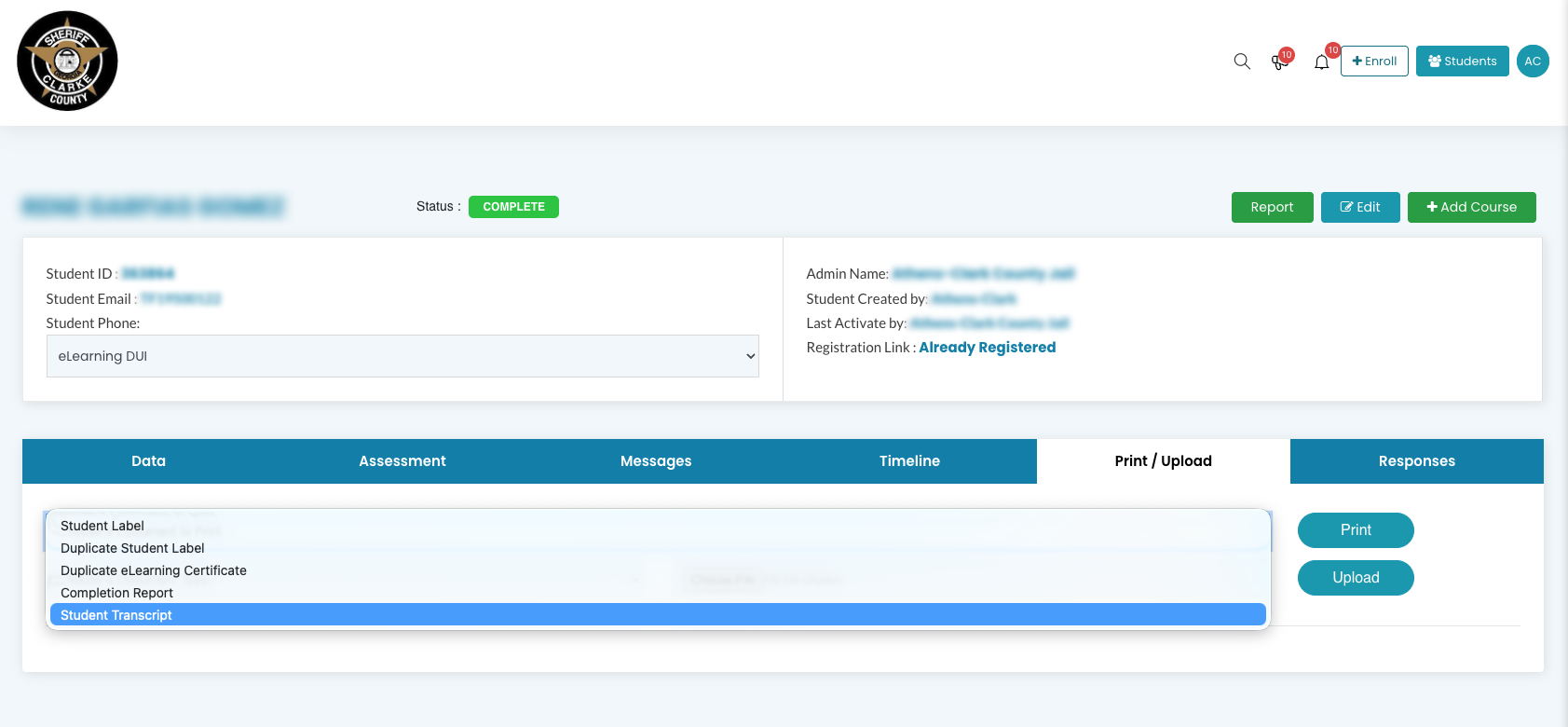
Step 1: Select "Student Transcript" from Dropdown

From the student’s detail page, select “Student Transcript” from the “Print / Upload” dropdown menu, as shown below.

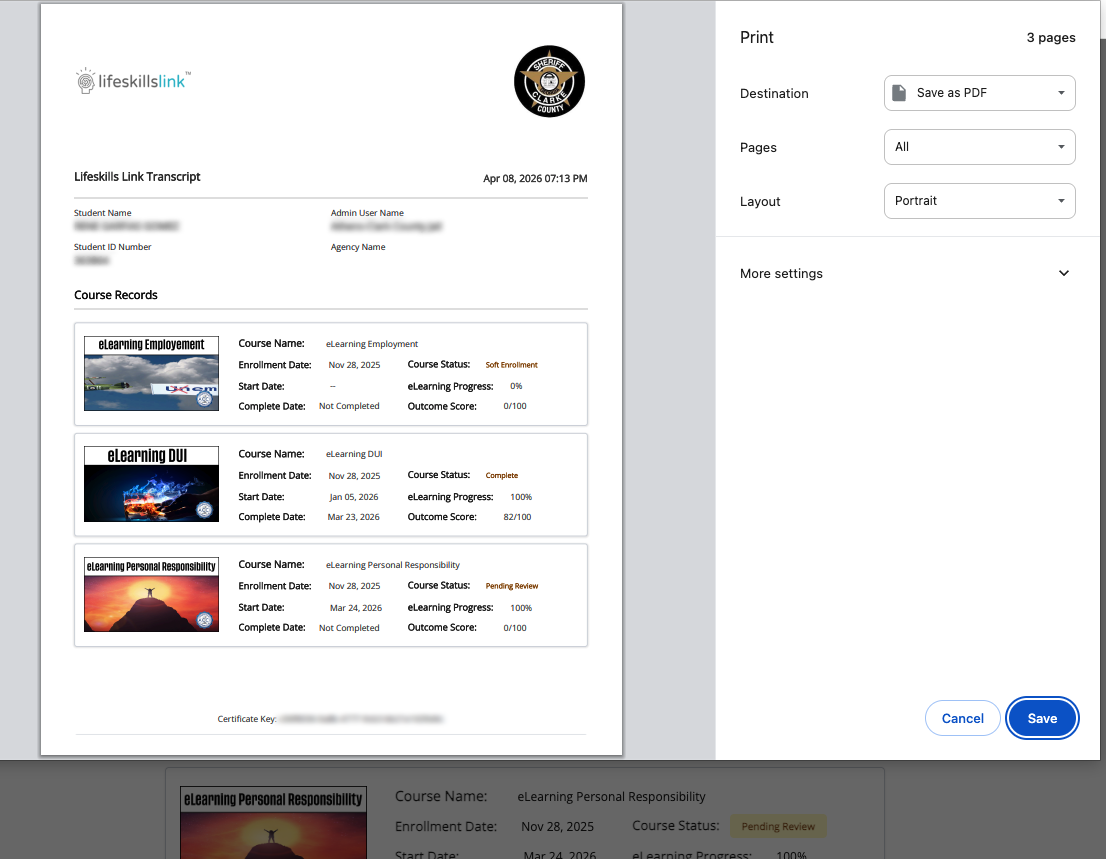
Step 2: Print or Save as PDF

The student’s transcript will appear in a print dialog box. Select either “Save as PDF” or “Print” from the “Destination” dropdown.