Help Center

Admin Comments Feature

June 8, 2026

Admin Comments Feature

As an administrator, you can now more easily review and comment on a student’s answers to help facilitate more effective learning, and provide validation and mentorship as they learn to change their thinking, values, attitudes, and behavior.
Steps: Admin Comments Feature

Step 1: Go to the Students Section

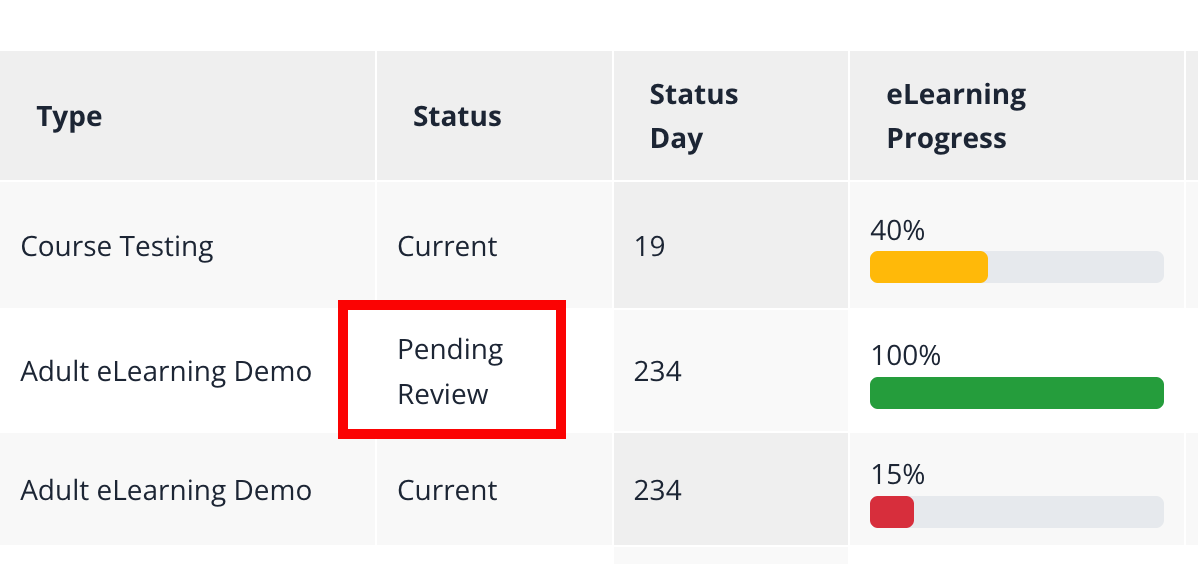
To review and leave comments, go to the “Students” section of the Lifeskills admin, and select a student whose course is pending review.

Step 2: Select the "Responses" tab

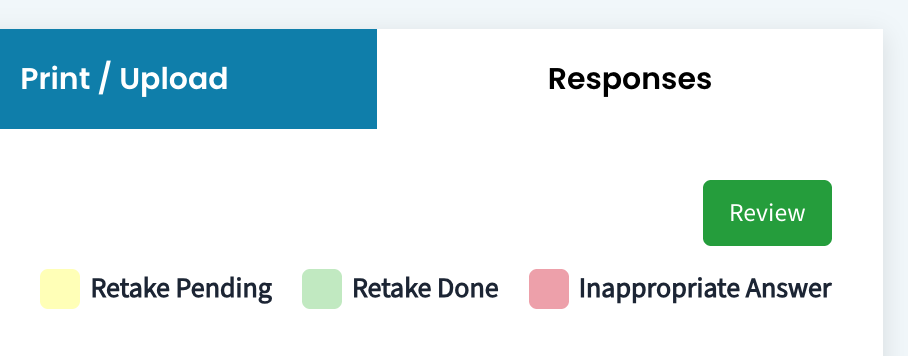
Select the “Responses” tab to begin reviewing the student’s answers. Super Admin, Admin, and Coaches can all view responses and leave comments. Keep in mind that Students can not reply to comments, they can only view them.

Step 3: Your Comments Can Facilitate Further Learning

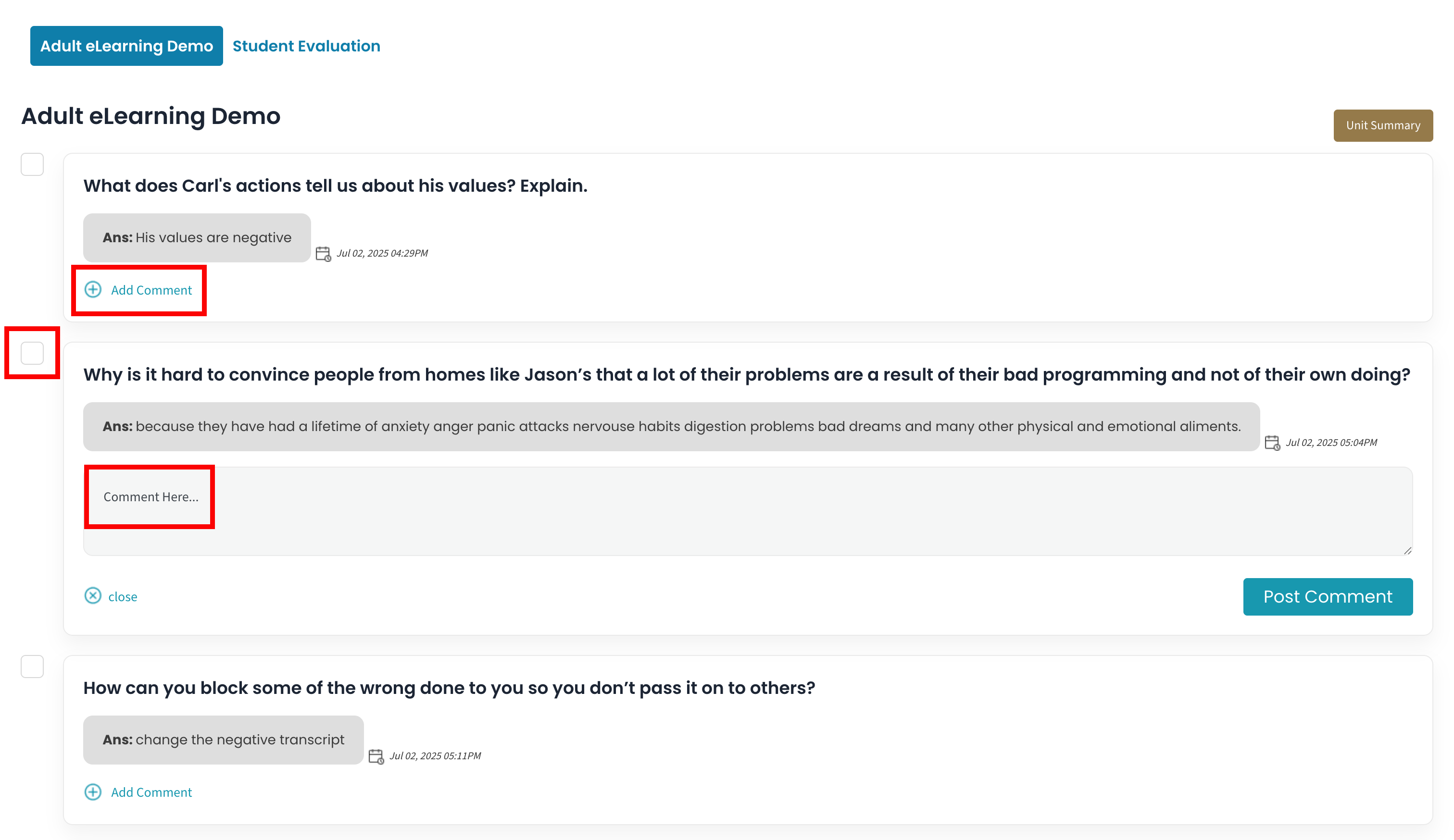
You can then review and leave comments under each answer. Remember to click the “Post Comment” button. You can also check the box to the left of each answer to flag an answer as inappropriate. Keep in mind that your comments can help to improve the student’s learning experience, validate what they’ve said, and encourage them to continue to improve their thoughts, attitudes and behavior.

Conclusion / Call to Action

A Simple Yet Powerful Part of the Process of Change

This is a feature that many of you have asked for, and we hope that all will recognize the powerful impact this simple tool can have on a student’s process of learning and changing—both to change their thinking, and to change their behavior.

Login and start utilizing this simple, but effective tool today!